SPSS Statistics alternative · Mac & Windows
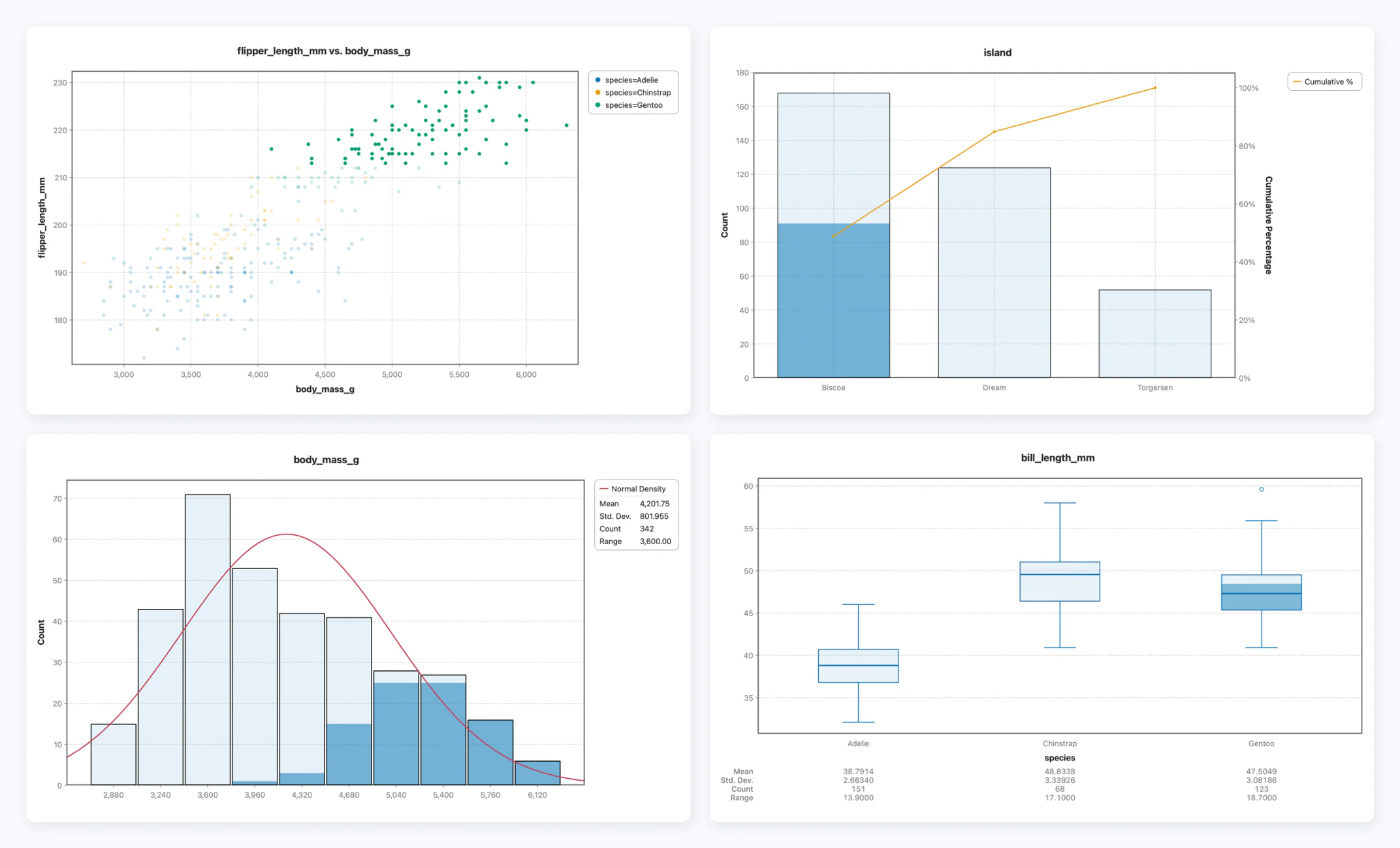
Own your statistics software instead of renting it: one-time from $119, where SPSS runs $1,308 per user per year. Your .sav files open labels and all, so nothing has to be redone, and selecting rows on one chart highlights them on every other.
Windows is cautious with apps from newer publishers. Stratum is code-signed — it’s safe; Windows just hasn’t built up its reputation yet.
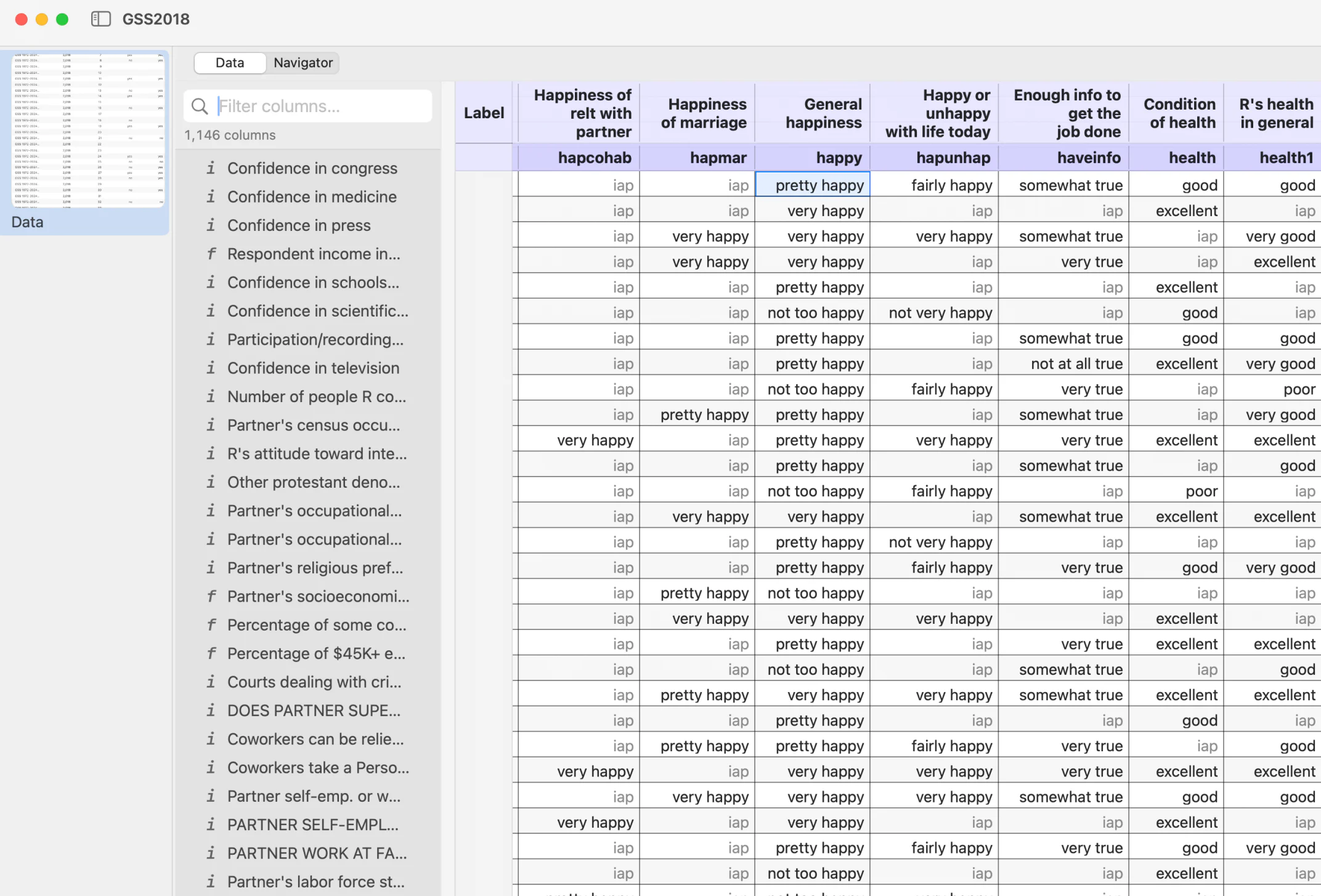
.sav, opened. Variable labels on the headers, value labels in the data, user-missing codes honored.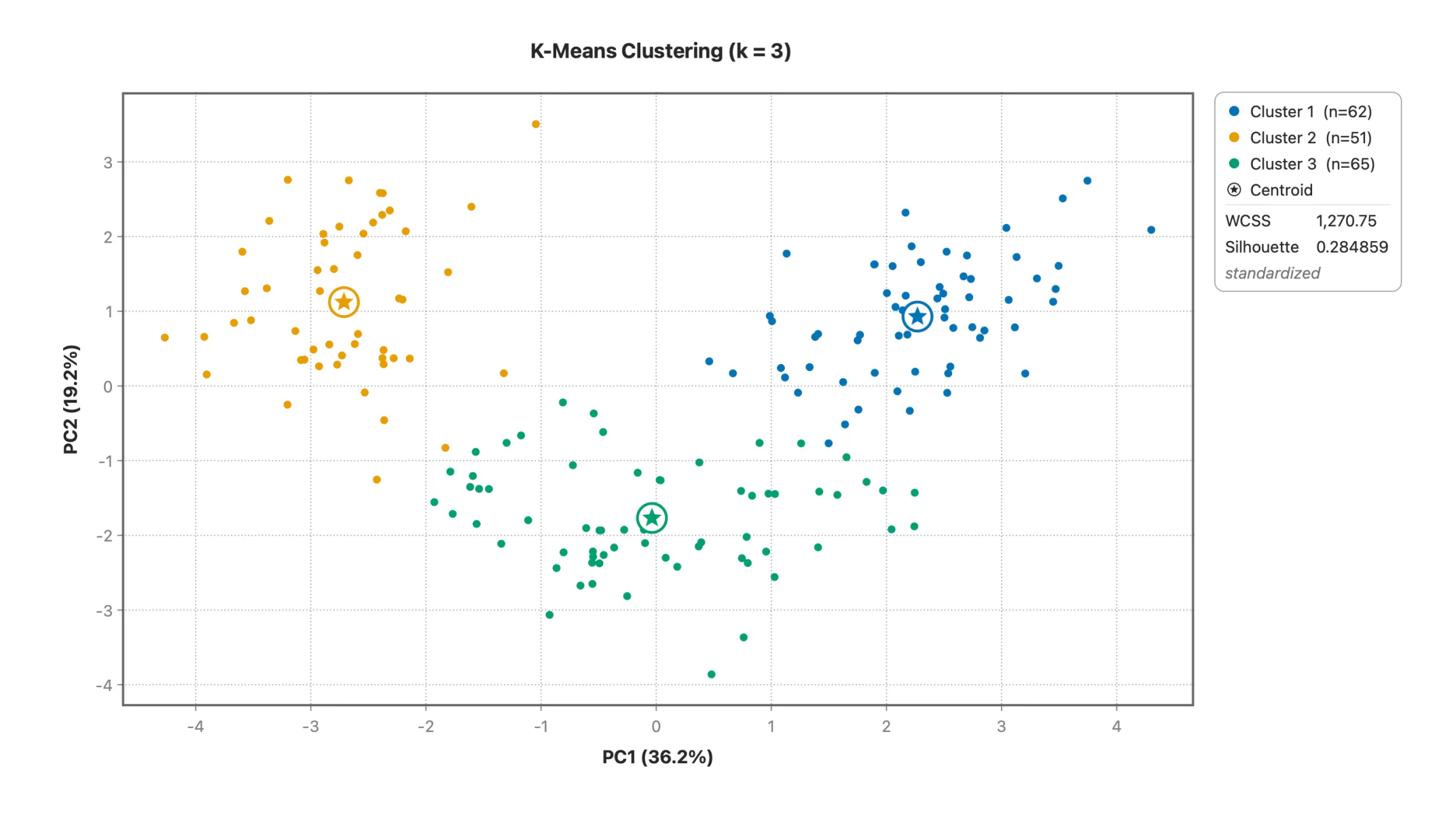
The base subscription is only the base — IBM sells Regression and Advanced Statistics as paid add-ons on top of it. The bill returns every year, and access stops when you stop paying.
Five years at list price: $6,540 for the base alone, $11,760 with Regression — and no software left if you stop.
Bought once, with regression and its full diagnostics in Standard rather than an add-on. The version you buy keeps working forever, online or off, on Mac and Windows alike.
$119 — once, and it's yours.
| SPSS | Stratum | |
|---|---|---|
| Pricing | $1,308 per user / year — and Regression is another $1,044 | One-time, from $119 |
| Platform feel | Cross-platform, dated UI | Native to Mac & Windows, modern |
| Core tests | t-tests, ANOVA, correlation, chi-square, regression | All of them, plus MANOVA, correspondence analysis, Kruskal-Wallis with Dunn’s test, and Kendall’s tau with FDR correction |
| Numerical validation | Algorithms documented | Published validation record — the outside tool named for every statistic, plus all nine NIST StRD least-squares cases |
| Charts | Functional | 30+ modern statistical charts, zoom on every continuous axis, print-resolution export |
| Linked selection | Chart output is static | Select rows on any chart or in the datasheet and every other chart updates with it |
| Regression diagnostics | Available | VIF, leverage, Cook's D, Durbin-Watson, PRESS and predicted R², prediction intervals and best-subsets selection — in the same report |
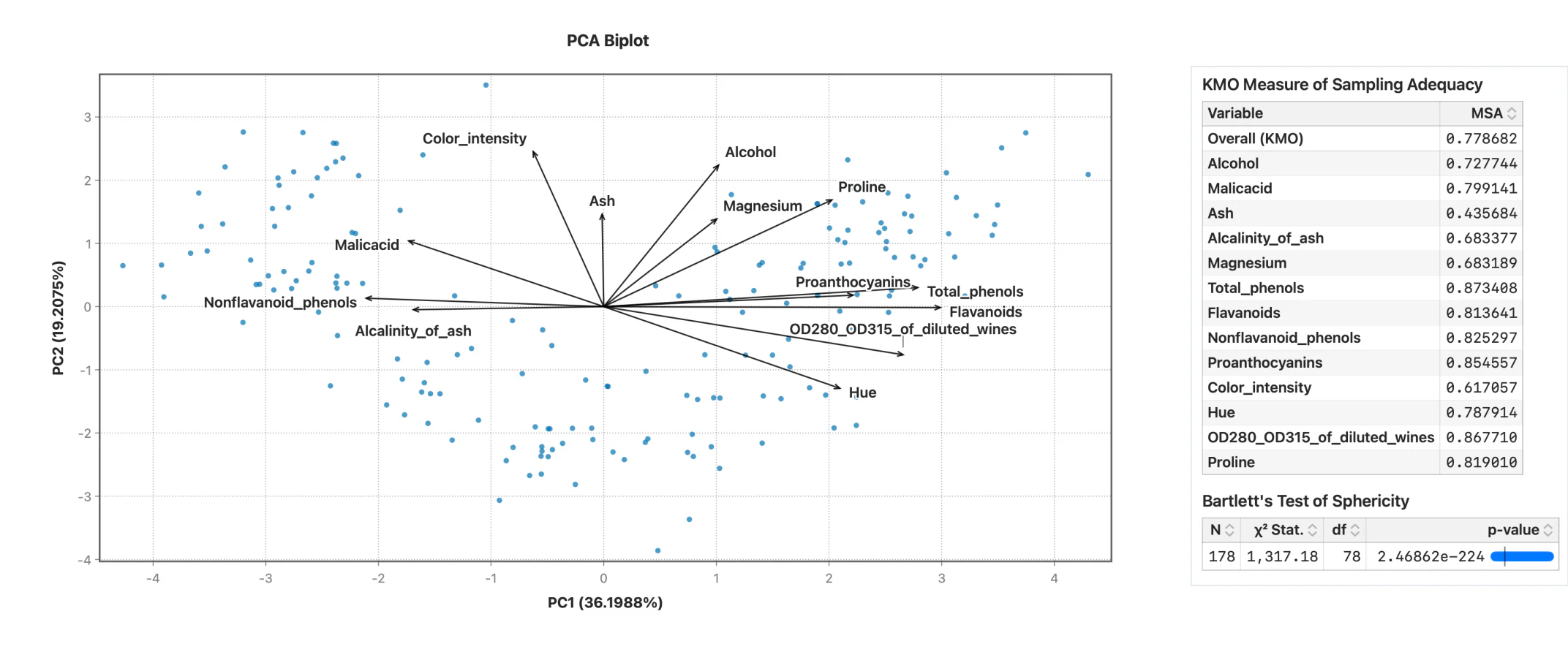
| Machine learning | Paid add-ons | Included in Professional — PCA with KMO and Bartlett’s, clustering, cross-validated trees, random forests with out-of-bag error, boosted trees with early stopping, partial-dependence plots |
| Quality & SPC | Control charts available | Nine control charts, Phase I/II staging, capability with Cpm, Z-bench and confidence intervals (Professional) |
| Scale | Large datasets | Up to ~5 million rows |
| Your data | Desktop & cloud editions | 100% offline — nothing leaves your machine |
Summary — mean, SD, quartiles, skewness and kurtosis, plus counts and percentages, for every column at once.
Two-Sample — Student's t, Welch and paired, with Mann-Whitney and Wilcoxon in the same report.
One-Way ANOVA — SS, df, MS, F and p, with Tukey HSD post-hoc comparisons and confidence intervals.
Two-Way ANOVA — both main effects, the interaction term, and per-cell means.
Correlation — Pearson and Spearman matrices with confidence intervals, p-values and multiple-comparison correction.
Contingency Table — chi-square, expected counts, and row / column percentages.
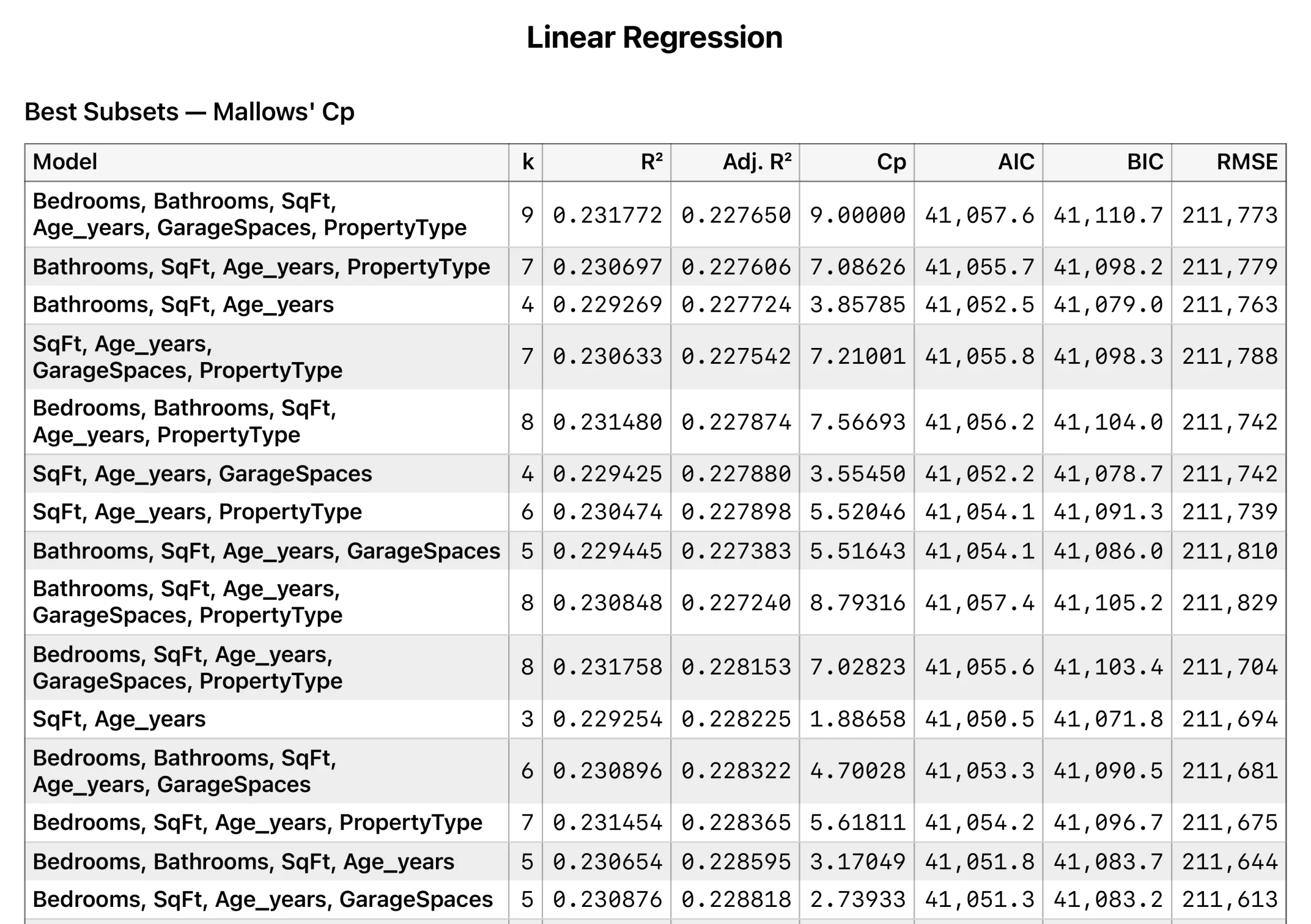
Linear Regression — coefficients with CIs, VIF, leverage, Cook's D, best-subsets, R², AIC and BIC.
MANOVA — Wilks' lambda, Pillai's trace, Hotelling-Lawley and Roy's largest root.
Principal Components — loadings and variance explained, with a scree plot and biplot.
Clustering — K-means and hierarchical, with dendrograms.
Decision Tree, Random Forest, Boosted Trees — included in Professional, with feature importance and prediction columns.
30+ chart types — histogram, box, violin, density, ECDF, Q-Q, scatter with OLS/LOESS, treemap, mosaic, Pareto and more.
Point-and-click throughout — no syntax to learn, and nothing to re-run when you change a filter.
Yes — Stratum covers the core SPSS analyses plus modern charts and built-in machine learning, at a one-time price instead of a subscription. There is more on running SPSS on a Mac and moving your work across.
Yes — clean report tables and 30+ publication-quality charts, exportable to PDF, PNG, TIFF, CSV, TSV, Markdown and HTML.
Yes — .sav and compressed .zsav files open directly, keeping variable labels on the column headers and value labels in the data, so charts and tables read in words rather than numeric codes. User-missing codes are honored. .csv, .xlsx, fixed-width ASCII and Stata .dta import the same way.
No — Stratum is point-and-click throughout, and an analysis stays live: change a filter or edit the data and every table and chart built on it updates, with nothing to re-run. Column work that would be syntax in SPSS is a formula, with 114 functions across math, text, dates, binning and recoding, column aggregates and row windows.
Yes. The free 10-day trial is the full app — no credit card and no account. Import your CSV or Excel file and run your analyses before deciding.
 Stratum