SPSS for Mac · Native, offline, bought once
.sav files.Open your .sav files on the Mac with every variable and value label intact, so nothing has to be rebuilt. Stratum is one payment instead of a yearly one, with the whole toolkit in it — the analyses you run every day, 30+ publication-ready charts and machine learning — in an app built natively for macOS. Free to try on your own data before you decide.
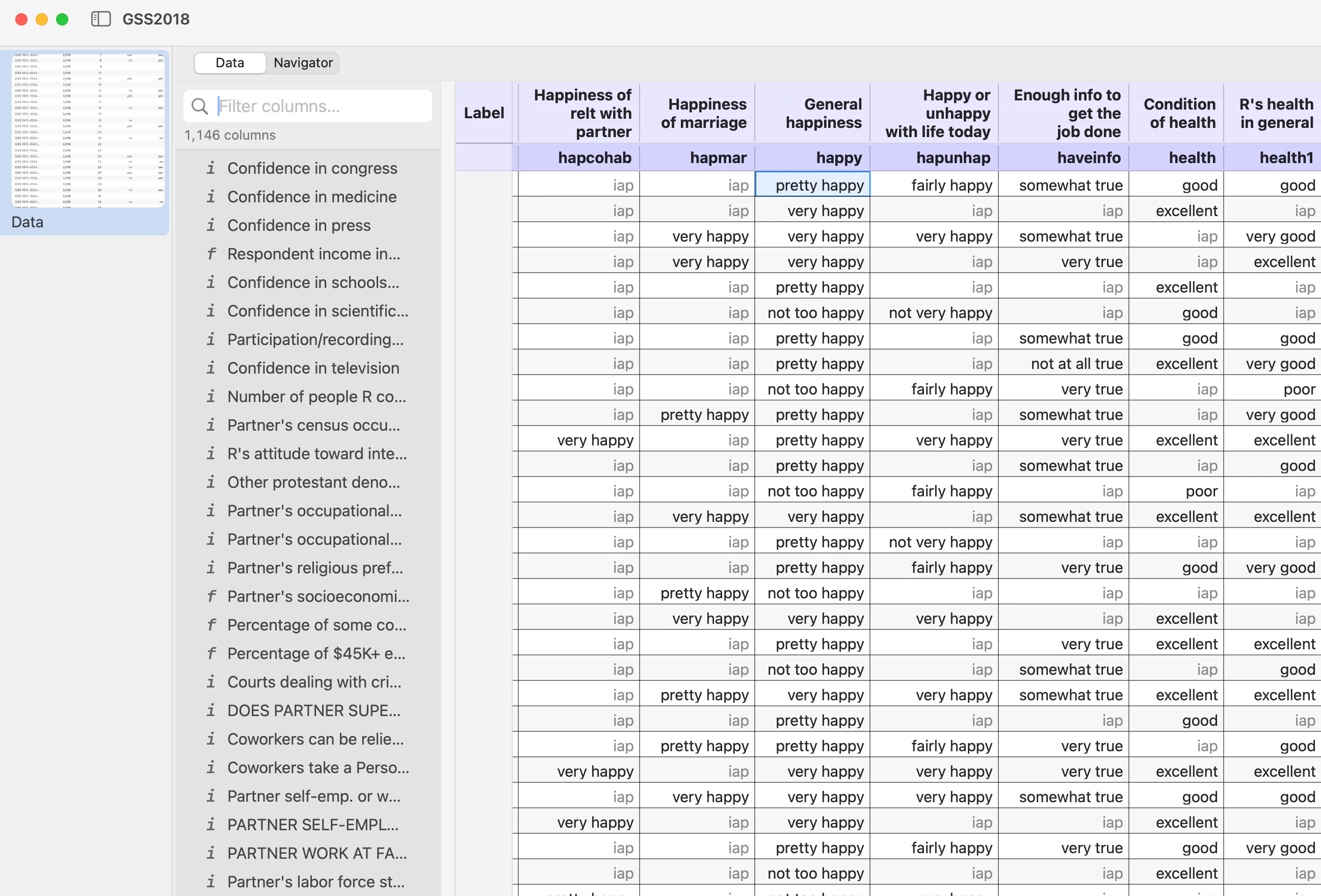
.sav, opened. Variable labels on the headers, value labels in the data, user-missing codes honored.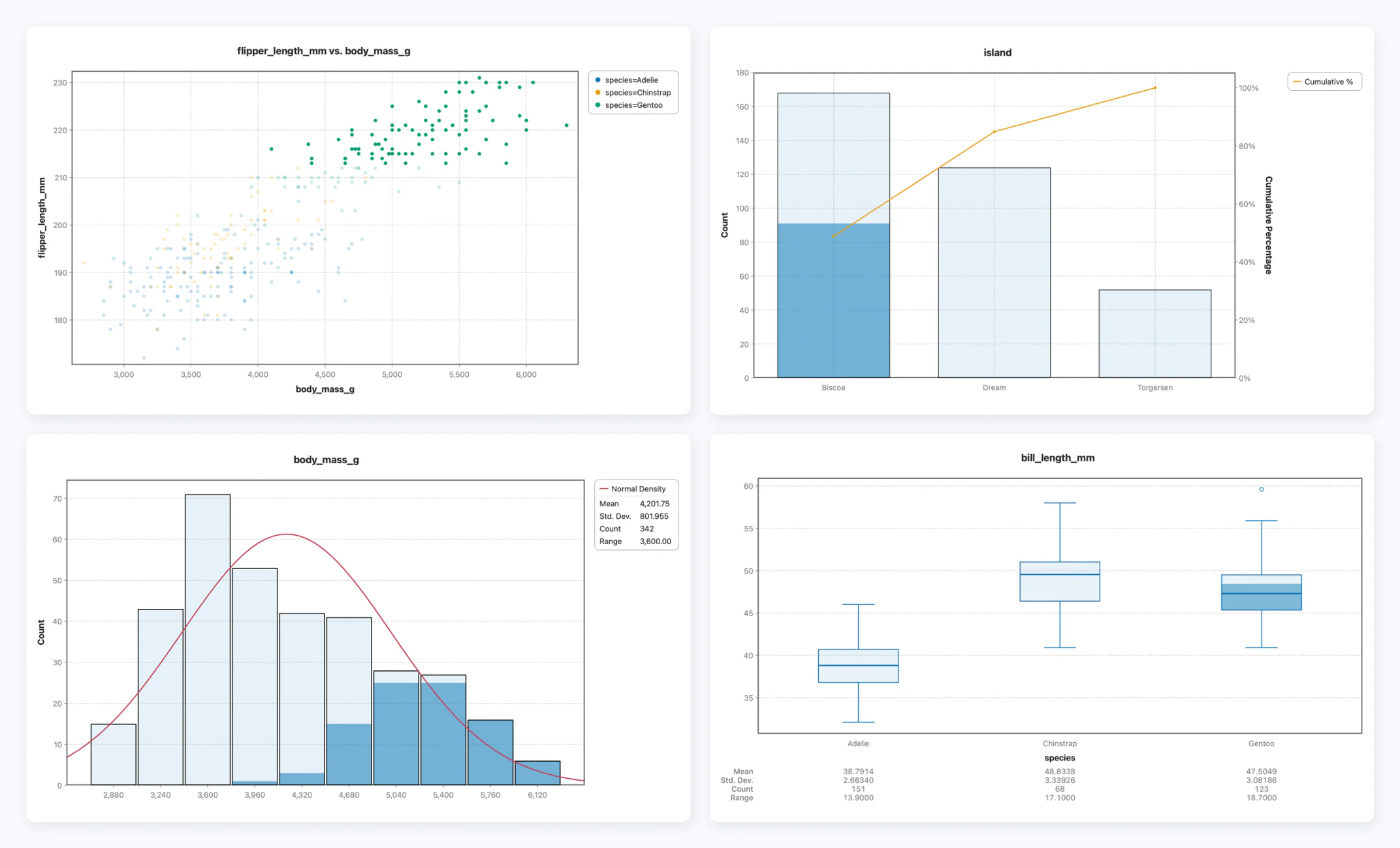
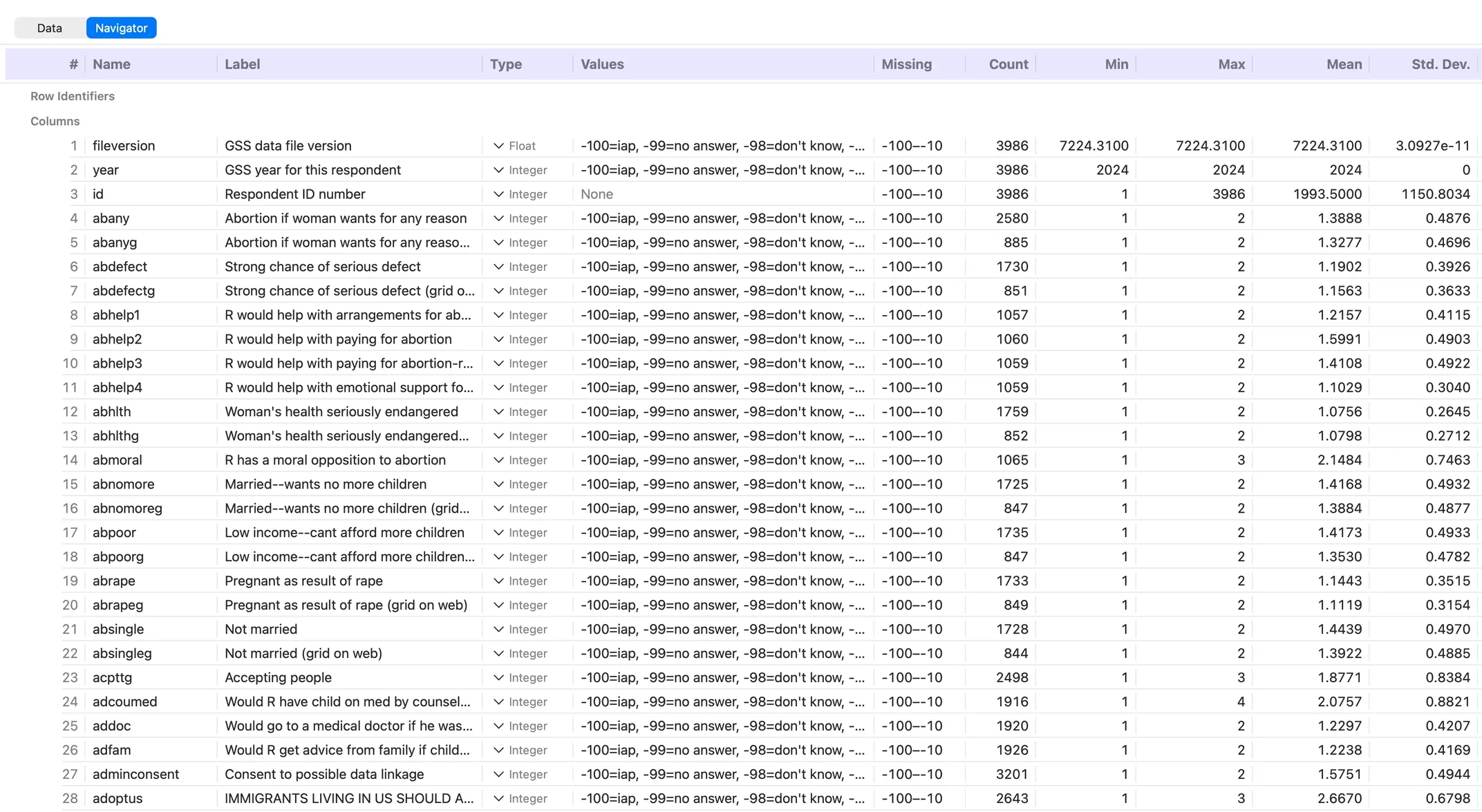
.sav’s dictionary read in full, not just its numbers.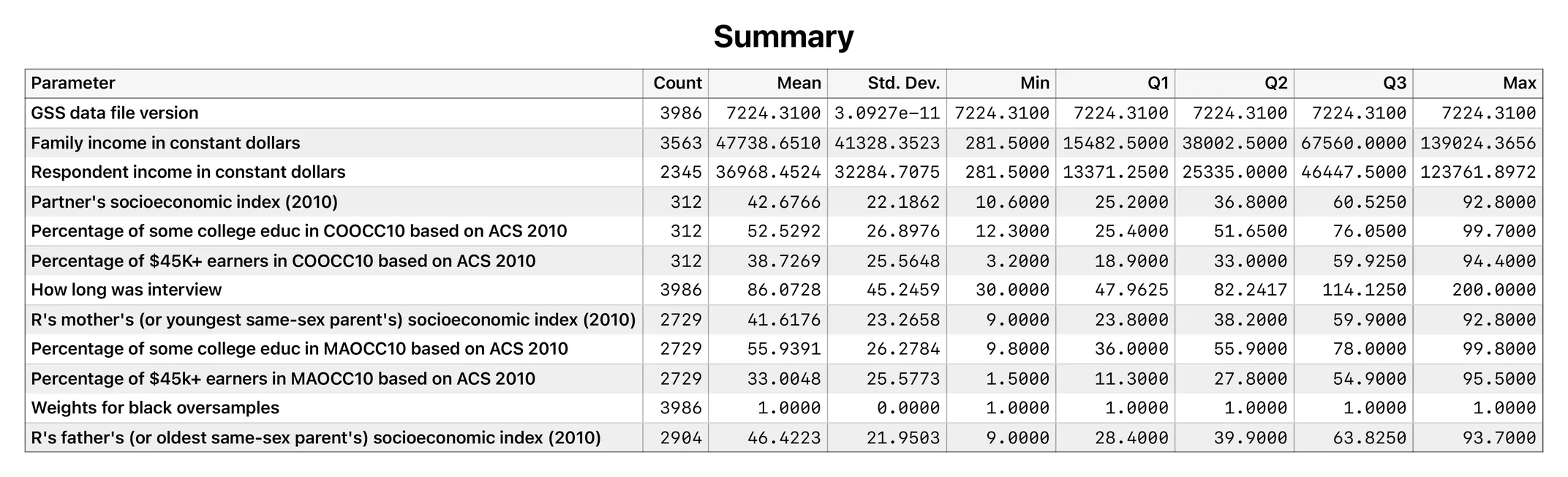
.sav labelled it — so a table reads in words rather than in variable names.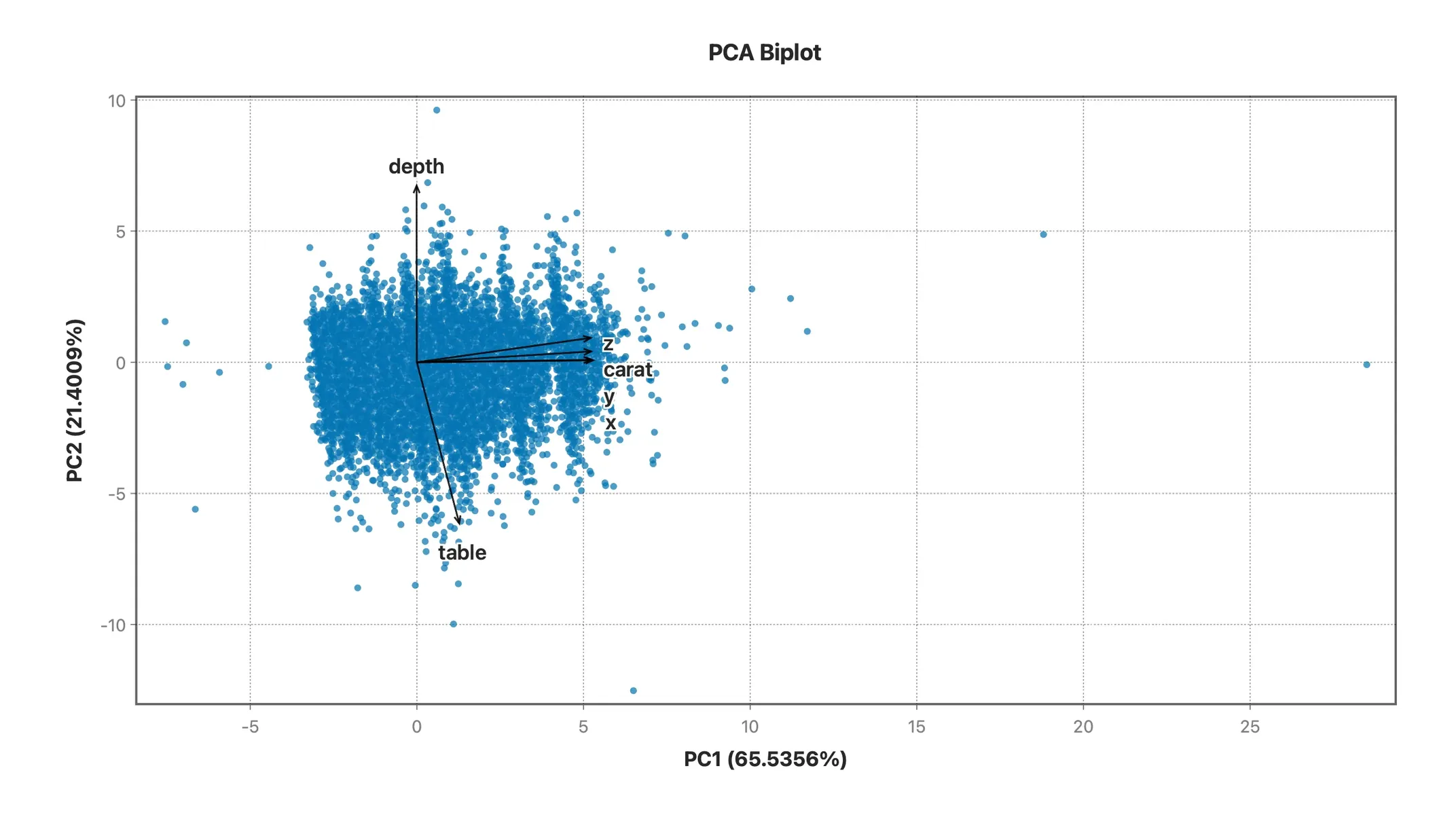
They are different problems, and only two of them have the same answer.
Campus site licenses stop at graduation, and the personal price is not the campus price. If you still need t-tests, ANOVA and regression for a thesis, a paper or a job, you need a tool you own rather than one you rent through an institution. Stratum is bought once, and it is yours — no renewal date, and no institution to belong to.
SPSS is sold per user per year, and some of what you would reach for — the Regression and Advanced Statistics package, Decision Trees — is priced on top of the base. Stratum Standard is $119 once, with regression and its full diagnostics included rather than sold separately. The full arithmetic, with IBM’s own list prices and their caveats, is laid out on the SPSS comparison page.
This is the one people are least willing to say out loud and complain about most. Stratum is written for macOS: it opens in a second, follows system dark mode, renders at Retina resolution, takes a drag-and-dropped CSV straight onto the window, and exports charts at print resolution without a dialog stack. There is no runtime to install first.
It is an overused word, so here is the concrete version. There is no runtime or helper to install before the app opens. Your analysis runs entirely on your machine: your data is never uploaded, and there is no telemetry on your datasets, which matters if your data is not allowed to leave the building. It follows the system appearance, draws at Retina resolution, and accepts a file dragged onto its window. The app does check your license periodically and look for updates — neither request carries any of your data — and it keeps working offline for a week at a time between those checks.
Open a .sav or a compressed .zsav directly — variable labels onto the headers, value labels kept so output reads in words, user-missing codes honored — and the analyses you ran in SPSS are a menu item away, with the numbers checked against a named outside tool before they reach you. Stata .dta, Excel, CSV and fixed-width ASCII open the same way, to around five million rows. So your first hour in Stratum is analysis, not data entry.
Summary — mean, SD, quartiles, skewness and kurtosis for every column at once, rather than one dialog per variable.
Two-Sample — Student’s t, Welch and paired, with Mann-Whitney and Wilcoxon in the same report.
One-Way ANOVA — SS, df, MS, F and p, with Tukey HSD post-hoc comparisons and confidence intervals.
Correlation — Pearson, Spearman and Kendall matrices with confidence intervals, p-values, and Bonferroni or FDR correction.
Contingency Table — chi-square, expected counts, and row and column percentages.
Linear Regression — coefficients with CIs, VIF, leverage, Cook’s D, best-subsets, R², AIC and BIC, in one report.
Principal Components — loadings and variance explained, with KMO, per-variable MSA and Bartlett’s test of sphericity, a scree plot and a biplot.
MANOVA — Wilks’ lambda, Pillai’s trace, Hotelling-Lawley and Roy’s largest root, with the F approximation and its degrees of freedom.
Kruskal-Wallis — with Dunn’s post-hoc comparisons, tie-corrected and adjusted for multiplicity.
Clustering — k-means with a silhouette and an elbow plot, or hierarchical with Ward, complete, average or single linkage.
Decision Tree — classification and regression trees with cross-validated pruning, drawn rather than tabulated, plus random forests and boosted trees. In Professional, not a separate purchase.
Correspondence Analysis — row and column coordinates, inertia and contributions, Cramér’s V, and the map.
Formula columns — 114 functions across math, text, dates, binning and recoding, column aggregates and row windows, with a searchable reference beside the editor.
Linked selection — one row selection shared by the datasheet and every chart: click or drag on one and the rest highlight with it, with no dialog to re-run.
30+ chart types — histogram, box, violin, density, ECDF, Q-Q, scatter with OLS and LOESS, treemap, mosaic and Pareto.
Yes. IBM ships a macOS build, so this is a question of license and cost rather than compatibility.
.sav files?Yes — open a .sav directly, by dragging it onto the window or with File ▸ Import. Variable labels come across onto the column headers, value labels are kept so charts and tables read in words rather than codes, and user-missing codes are honored. .csv, .xlsx and Stata .dta import the same way.
Stratum is a paid app, and here is what the money buys: a native interface, 30+ publication-quality charts, regression diagnostics and machine learning without add-on pricing, and a published validation record. Try it for 10 days and compare.
macOS 14 (Sonoma) or later. There is a native Windows build too, on the same license — useful if you work across both.
Content: yes. Format? In our view, better. The same statistics are there — SS, df, MS, F, p, coefficients, standard errors, confidence intervals — laid out as clean report tables you can export to PDF, PNG, CSV, Markdown or HTML. Every table is formatted to drop straight into a paper or a slide.
Yes, and you should. The 10-day trial is the complete app, with no card and no account. Import your own file and run the analyses you actually need before deciding.
 Stratum